Imprint Methods Explained: Screen Printing vs Embroidery vs Heat Transfer
Compare screen printing, embroidery, and heat transfer for promotional products. Learn which custom printing method delivers the best results for bags, apparel, and corporate branded merchandise.
The logo on a promotional product is the single most visible element of your brand investment. Yet most buyers spend 90% of their time selecting the product and barely a minute thinking about how that logo will be applied. That is a mistake — the wrong imprint method can make a premium product look cheap, while the right method can elevate even a modest item into something people are proud to carry.
Understanding the differences between screen printing, embroidery, and heat transfer is not optional if you are spending money on branded merchandise. Each technique has distinct strengths, limitations, and cost structures. Choosing the wrong one wastes budget. Choosing the right one multiplies the impact of every dollar you spend.
This guide walks you through the three most common custom printing methods for promotional products. You will learn how each one works, where it performs best, what it costs, and how to match the right method to your specific product, design, and audience. If you have not yet selected the product itself, our guide to choosing promotional products can help you narrow down your options before deciding on an imprint technique.
What Is Screen Printing?
Screen printing (also called silk screening) is the oldest and most widely used imprint method in the promotional products industry. It works by pushing ink through a mesh stencil — one screen per color — onto the product surface. Each color in your design requires a separate screen, and the ink is cured (dried) using heat or air drying.
The result is a durable, vibrant print that sits on top of the fabric surface. For promotional bags and apparel, screen printing has been the default choice for decades because it balances quality, cost, and scalability better than any other method.
How screen printing works
The process follows a straightforward sequence:
- Artwork separation — Your design is separated into individual color layers. A simple one-color logo needs one screen; a four-color design needs four.
- Screen preparation — Each color layer is burned onto a mesh screen using a light-sensitive emulsion. The open areas of the mesh are where ink will pass through.
- Ink application — Ink is pressed through the screen onto the product surface using a squeegee. Each color is applied one at a time, with drying between layers.
- Curing — The printed product passes through a heated dryer or tunnel to cure the ink, making it permanent and wash-fast.
When screen printing is the best choice
Screen printing excels in these situations:
- Large orders — Setup costs are amortized across hundreds or thousands of units. At quantities above 200 units, screen printing typically delivers the lowest cost per imprint.
- Simple designs — Solid colors, text, and line art reproduce beautifully. If your logo is 1-4 colors without gradients, screen printing is hard to beat.
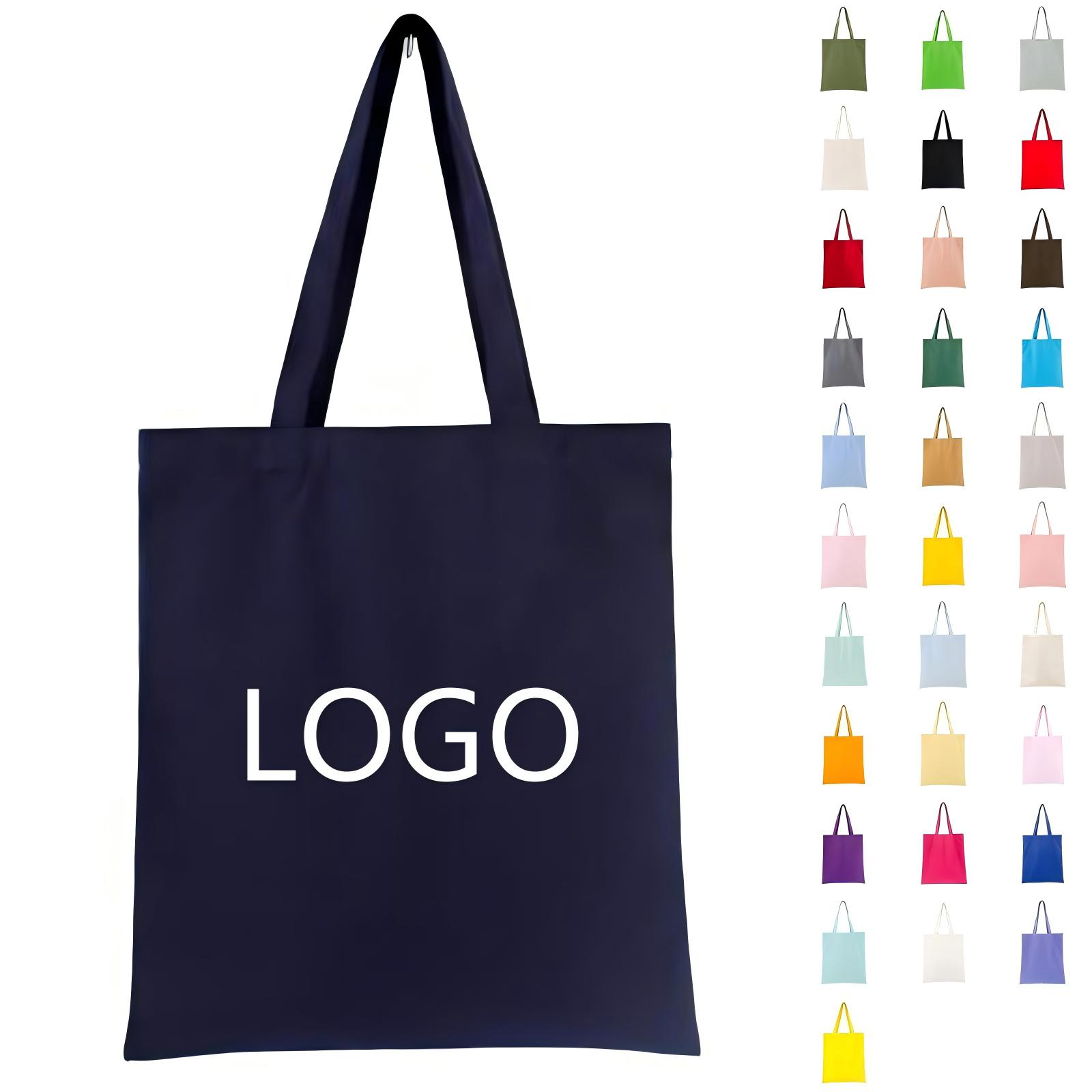
- Flat fabric surfaces — Tote bags, drawstring bags, and flat-panel apparel are ideal surfaces. The Standard Vertical Style 12oz Cotton Canvas Totes are among the most screen-printed promotional products because the flat cotton canvas surface takes ink evenly and holds color well.
- Bold, opaque colors — Screen printing produces vibrant, opaque colors that stand out clearly even on dark-colored fabrics.
Limitations to consider
Screen printing has genuine constraints:
- Color limitations — Each additional color adds a setup fee and increases production time. Designs with more than 6-8 colors become impractical.
- No gradients or photographs — Screen printing cannot reproduce smooth gradients, photographic detail, or subtle tonal variations. If your design requires these elements, you need a different method.
- Setup costs — A one-time screen setup fee (typically $25-$60 per color) makes small orders expensive relative to the per-unit cost. A 50-unit order with a 4-color design may have a higher effective cost per unit than a 500-unit order with the same design.
What Is Embroidery?
Embroidery stitches your design directly into the fabric using high-speed computer-controlled sewing machines. Instead of laying ink on the surface, embroidery creates a textured, dimensional logo that becomes part of the material itself.
The tactile quality of embroidery is what sets it apart. A well-executed embroidered logo feels premium in a way that printing rarely matches. For corporate apparel, caps, bags, and executive gifts, embroidery signals quality and attention to detail.
How embroidery works
The process is more involved than screen printing:
- Digitizing — Your logo is converted into a digital embroidery file that tells the machine exactly where to place each stitch, what thread color to use, and what stitch density to apply. This is a skilled technical process — not simply a file conversion.
- Hooping — The product is secured in a hoop or frame that holds it taut during stitching.
- Stitching — The machine follows the digitized file, stitching the design with industrial-speed precision. Complex designs can require 10,000+ stitches.
- Finishing — Excess backing material is trimmed, and any jump stitches (threads connecting design elements) are removed.
When embroidery is the best choice
Embroidery delivers the best results when:
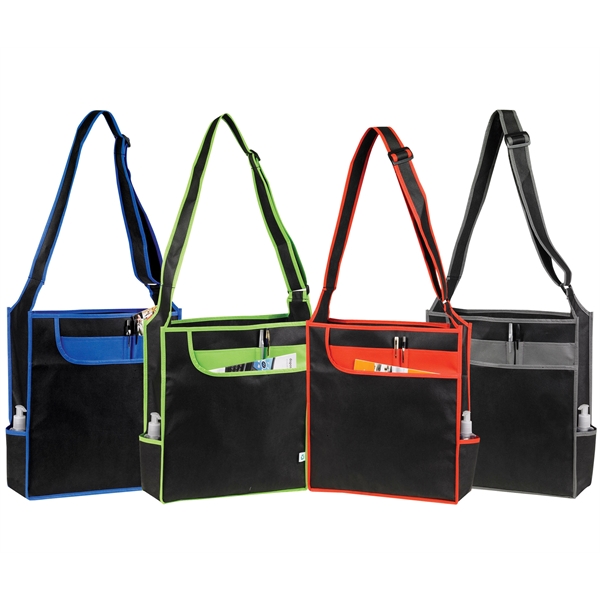
- Premium positioning matters — Corporate gifts, executive apparel, and high-end promotional items benefit from the perceived quality of embroidery. The Professional Organizer Messenger Tote with an embroidered logo projects a level of sophistication that a printed logo does not achieve.
- Small to medium designs — Embroidery works best for logos in the 2" to 4" range. Chest logos on apparel, cap fronts, and bag pockets are the sweet spot.
- Durability is critical — An embroidered logo outlasts any printed one. It will not crack, peel, or fade — even after years of washing and use.
- Textured appearance is desired — The dimensional, raised texture of embroidery creates visual and tactile distinction that printing cannot replicate.
Limitations to consider
Embroidery has significant trade-offs:
- Detail limitations — Fine text below 6pt, thin lines, and intricate detail are difficult to reproduce in thread. Small letters often become illegible when digitized for embroidery.
- High cost — Embroidery is typically 2-3x more expensive than screen printing per unit, and the digitizing fee ($75-$200) adds upfront cost.
- Design size constraints — Very large embroidered designs are impractical. They become stiff, take excessive time to stitch, and drive up cost dramatically.
- Fabric compatibility — Embroidery requires a stable fabric. Lightweight or stretchy materials may pucker or distort during stitching. Canvas and heavy cotton work well; thin synthetics often do not.
What Is Heat Transfer Printing?
Heat transfer printing uses heat and pressure to apply a pre-printed design — usually from a special transfer paper or vinyl film — onto the product surface. The heat activates an adhesive layer that bonds the design permanently to the fabric.
Heat transfer has evolved significantly from the iron-on decals of decades ago. Modern heat transfer methods can produce full-color, photographic-quality designs with detail that neither screen printing nor embroidery can match.
How heat transfer works
The process varies by transfer type, but the general sequence is:
- Design preparation — Your artwork is printed onto special transfer paper or cut from vinyl film using a plotter. Digital printing allows unlimited colors and photographic detail.
- Placement — The transfer is positioned on the product surface with the printed side facing down.
- Heat pressing — A commercial heat press applies consistent temperature (typically 350-400°F) and pressure for a specific duration (15-60 seconds, depending on the transfer type).
- Peel and finish — The backing is peeled away, leaving the design permanently bonded to the fabric.
When heat transfer is the best choice
Heat transfer excels in specific scenarios:
- Complex, multi-color designs — If your design has gradients, photographic elements, or more than 6-8 colors, heat transfer handles it without the per-color cost escalation of screen printing.
- Small batch orders — No setup screens or digitizing fees. Heat transfer is often the most cost-effective option for orders under 50 units.
- Personalization — Each item can have a unique design. Names, numbers, and individualized graphics are practical with heat transfer in a way that screen printing and embroidery are not.
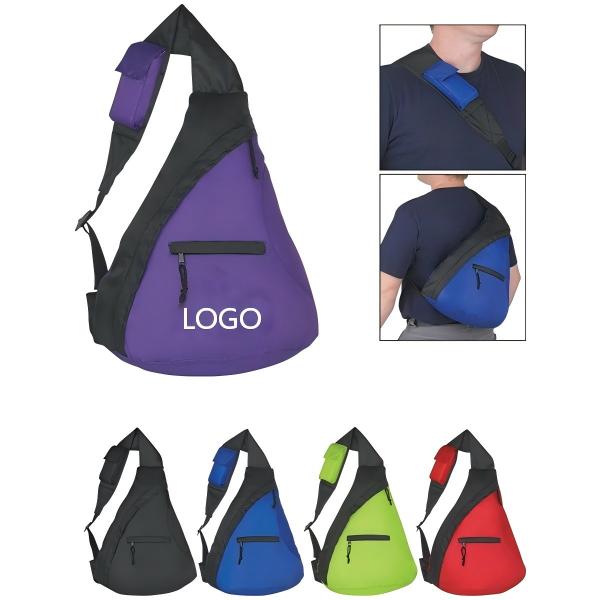
- Detailed artwork — The Affordable Crossbody Backpacks can feature intricate full-color designs through heat transfer that would be impossible to achieve with screen printing or embroidery.
Limitations to consider
Heat transfer has notable drawbacks for promotional products:
- Durability concerns — Heat-transferred designs can crack, peel, or fade over time — especially with frequent washing. Lower-quality transfers deteriorate faster.
- Feel on fabric — The transfer creates a slightly stiff, plastic-like layer on the fabric surface. This is less noticeable on thicker materials but can feel uncomfortable on lightweight apparel.
- Cost at volume — While heat transfer is economical for small orders, the per-unit cost does not decrease significantly at higher volumes. Screen printing becomes cheaper once you pass 100-200 units.
- Color matching challenges — Achieving exact Pantone color matching is more difficult with heat transfer than with screen printing. If brand color precision is critical, screen printing is the safer choice.
Side-by-Side Comparison: Which Imprint Method Wins?
The right choice depends on your specific priorities. Here is how the three methods compare across the factors that matter most:
| Factor | Screen Printing | Embroidery | Heat Transfer |
|---|---|---|---|
| Best for order quantity | 200+ units | 50+ units | Under 100 units |
| Color capability | 1-8 solid colors | 1-12 thread colors | Unlimited (full color) |
| Design complexity | Simple to moderate | Simple (text, logos) | High (photos, gradients) |
| Durability | High | Very high | Moderate |
| Perceived quality | Good | Excellent | Fair to good |
| Cost per unit (high volume) | Lowest | Highest | Moderate |
| Setup cost | $25-$60/color | $75-$200 (digitizing) | Minimal |
| Fabric compatibility | Cotton, canvas, polyester | Canvas, heavy cotton, twill | Most fabrics |
| Full-color photo reproduction | Not possible | Not possible | Yes |
| Texture/feel | Flat print surface | Raised, textured | Slight film layer |
Matching Imprint Methods to Product Types
Not every imprint method works equally well on every product. Here is a practical guide to pairing the right method with common promotional product categories.
Tote bags and carryalls
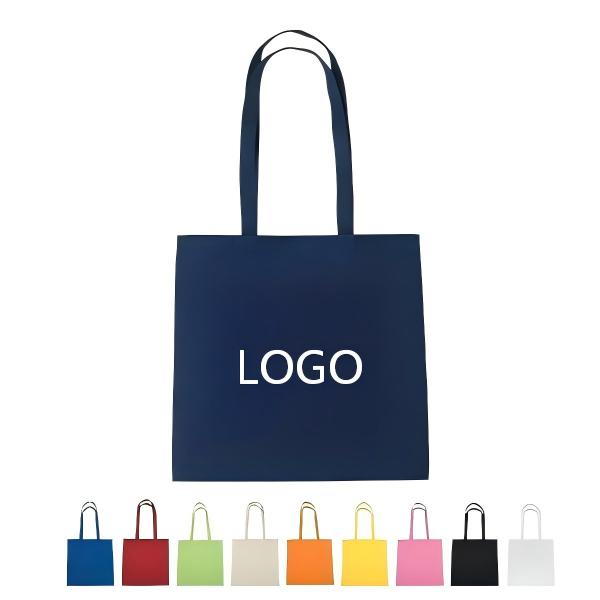
Canvas and cotton tote bags are the most versatile surface for imprinting. Screen printing is the default choice for the majority of tote bag orders — it produces vivid, durable prints at the lowest cost per unit. The Premium 100% Cotton Canvas Totes handle screen printing exceptionally well because the heavyweight cotton canvas provides a smooth, even surface for ink application. For a deeper dive into tote bag options, see our complete guide to custom tote bags for business.
Embroidery on tote bags works for premium positioning but is limited to smaller logo sizes (typically pocket or corner placement). Heat transfer is an option when a full-color design is needed, but the durability may not match the bag's usable lifespan.
Backpacks and daypacks
Backpacks present a more complex surface. Screen printing works on flat panels but can crack on areas that flex frequently (like the top of a shoulder strap). Embroidery works well on pocket flaps and front panels where the fabric is stable. For complex designs on the main body panel, heat transfer or a hybrid approach (screen print for the logo, heat transfer for a full-color back panel) delivers the best results.
Messenger bags and organizers
For professional and executive products like messenger bags, the imprint method should match the positioning. Embroidery on the front flap creates a premium, understated brand presence. Screen printing is suitable for larger designs on the back panel or interior. The Professional Organizer Messenger Tote pairs best with embroidery for subtle front-pocket branding or screen printing for a larger, more visible back-panel placement.
Drawstring bags and sport packs
Lightweight polyester drawstring bags are almost exclusively screen printed due to their low per-unit cost and the method's compatibility with polyester fabrics. Heat transfer is an alternative for full-color athletic designs, but screen printing remains the industry standard for this product type.
Cost Breakdown: What to Budget for Each Method
Understanding the cost structure helps you make smarter decisions about your promotional product budget.
Typical pricing per unit (logo imprint only)
| Order Quantity | Screen Printing | Embroidery | Heat Transfer |
|---|---|---|---|
| 50 units | $3.00-$5.00 | $6.00-$12.00 | $3.50-$6.00 |
| 200 units | $1.50-$2.50 | $4.00-$7.00 | $3.00-$5.00 |
| 500 units | $0.80-$1.50 | $3.00-$5.00 | $2.50-$4.00 |
| 1,000 units | $0.50-$1.00 | $2.50-$4.00 | $2.00-$3.50 |
These ranges are for a standard single-location logo imprint on a typical promotional bag. Actual pricing varies based on design complexity, number of imprint locations, product material, and supplier. If you are weighing screen printing against DTF (direct-to-film) transfers specifically, our free Screen Print vs DTF Cost Calculator compares per-unit costs across order quantities so you can find the break-even point for your job instantly.
Where setup costs matter most
Setup costs have an outsized impact on small orders:
- Screen printing — A 3-color design at $40/color means $120 in setup alone. On a 50-unit order, that adds $2.40 per unit before the print cost.
- Embroidery — Digitizing fees of $150 on a 50-unit order add $3.00 per unit. On 500 units, the same fee adds only $0.30 per unit.
- Heat transfer — Minimal to no setup cost makes it competitive at low volumes, but per-unit costs stay relatively flat regardless of order size.
Common Mistakes When Choosing an Imprint Method
Mistake 1: Assuming more expensive means better
Embroidery costs more than screen printing, but that does not make it the better choice for every product. A large, complex embroidered logo on a lightweight tote bag can look stiff and awkward — while a clean screen-printed logo on the same bag looks natural and professional. Match the method to the product, not to your budget.
Mistake 2: Overlooking fabric compatibility
Not every method works on every material. Attempting to screen print a complex design on a heavily textured fabric like burlap or jute will produce uneven results. Embroidering a thin polyester drawstring bag may cause puckering. Always verify that your chosen method is compatible with your product material before placing your order.
Mistake 3: Sending low-resolution artwork
Regardless of which method you choose, the quality of your source artwork directly determines the quality of the final imprint. For screen printing and heat transfer, supply vector artwork (AI, EPS, or SVG format) at actual imprint size. For embroidery, a clean vector file ensures the digitizer can accurately translate your design into stitches.
Mistake 4: Skipping the proof
Always request and approve a digital proof before production begins. This is your opportunity to verify logo placement, sizing, and color accuracy. For embroidery, ask for a sample stitch-out if your order quantity justifies it. The cost of a rejected production run far exceeds the cost of reviewing a proof.
Mistake 5: Choosing imprint size based on ego, not proportion
A larger logo is not a better logo. Overprinting a design that dominates the product looks cluttered and unprofessional. Standard imprint sizes for promotional bags range from 3" x 3" for pocket logos to 10" x 12" for full front-panel prints. Ask your supplier for recommended imprint dimensions for your specific product.
Specialized Imprint Methods Worth Knowing
Beyond the three main methods, a few specialized techniques are worth understanding for specific use cases.
Debossing and embossing
Debossing presses your design into the material, creating a sunken impression. Embossing raises it. These methods are most commonly used on leather and leatherette products — like the trim on a premium messenger bag. The result is subtle, sophisticated, and conveys understated luxury. Limited to single-color, simple designs.
Full-color digital printing (direct-to-garment)
Direct-to-garment (DTG) printing works like an inkjet printer for fabric. It can reproduce full-color designs, photographs, and complex artwork with no setup cost per color. However, DTG is slower per unit than screen printing, and the prints are less durable on items that will be washed frequently. Best suited for small batches of highly detailed designs.
Sublimation
Sublimation uses heat to convert solid ink into gas, which permanently bonds with polyester fibers. The result is a print that cannot be felt — it becomes part of the fabric itself. Sublimation produces vibrant, photographic-quality results but only works on light-colored polyester fabrics. It is not suitable for cotton or canvas.
Recommended Products
Based on the imprint method principles covered in this guide, here are our top product recommendations for different branding needs:
- Standard Vertical Style 12oz Cotton Canvas Totes — The ideal canvas for screen printing. The heavyweight 12oz cotton surface takes vibrant, long-lasting prints and is the most cost-effective choice for high-volume orders.
- Premium 100% Cotton Canvas Totes — A versatile option that works beautifully with both screen printing (for large, bold logos) and embroidery (for premium corner-pocket branding).
- Professional Organizer Messenger Tote — Best suited for embroidery on the front pocket for a sophisticated, executive-level brand presentation.
- Affordable Crossbody Backpacks — An excellent candidate for heat transfer or screen printing, offering a modern product at a price point that works for large giveaways and employee programs.
Ready to put your logo on the right product with the right imprint method? Browse our catalog for detailed product specifications, imprint area dimensions, and custom quote options.